Image model · Black Forest Labs
Flux.2 image generator
Photorealism and close prompt adherence from Black Forest Labs. Kontext Max edits what you already have.
01
What Flux.2 is good at
Best for
- Photoreal hero shots and campaign stills, on Flux.2 [pro].
- Lookbook and editorial frames where the prompt has to be followed closely.
- Editing an existing image while keeping identity and composition, on Flux Kontext Max.
- Background swaps and garment swaps on a finished frame.
Reach for something else when
- Legible text and logos. Seedream 5.0 Pro renders dense text.
- Batches from one run. Flux.2 [pro] returns one image per request; Seedream and Nano Banana return several.
- Holding a cast model with references. Seedream 4.5 is Misu's Character Lock model.
In Misu
- Flux.2 [pro] is available on Canvas image nodes and to the Director. Flux Kontext Max is also in the Generate picker.
- On Auto, editing an existing image routes to Flux Kontext Max.
- The colour grade edit tool runs through Kontext Max as a compiled instruction.
- Product Lock trains a dedicated model in the Flux family. That is a separate endpoint from Flux.2 [pro].
- When the Director writes the prompt, it writes dense cinematic prose with lens and light up front, the way Flux reads best.
02
Flux.2 specs in Misu
Read from the same tables the Studio's controls use — what you see here is what you can set.
Flux.2 [pro]
| Images per run | Up to 1 |
|---|---|
| Fixed seed (repeatable sets) | Yes |
Flux Kontext Max
| Images per run | Up to 4 |
|---|---|
| Fixed seed (repeatable sets) | Yes |
03
Generate, then edit
Flux.2 [pro]
Top-tier photorealism and prompt adherence for a still from scratch. One image per request.
Flux Kontext Max
Changes an existing image and keeps what should stay: the face, the pose, the framing. Takes one reference.
04
Prompting it for fashion and product
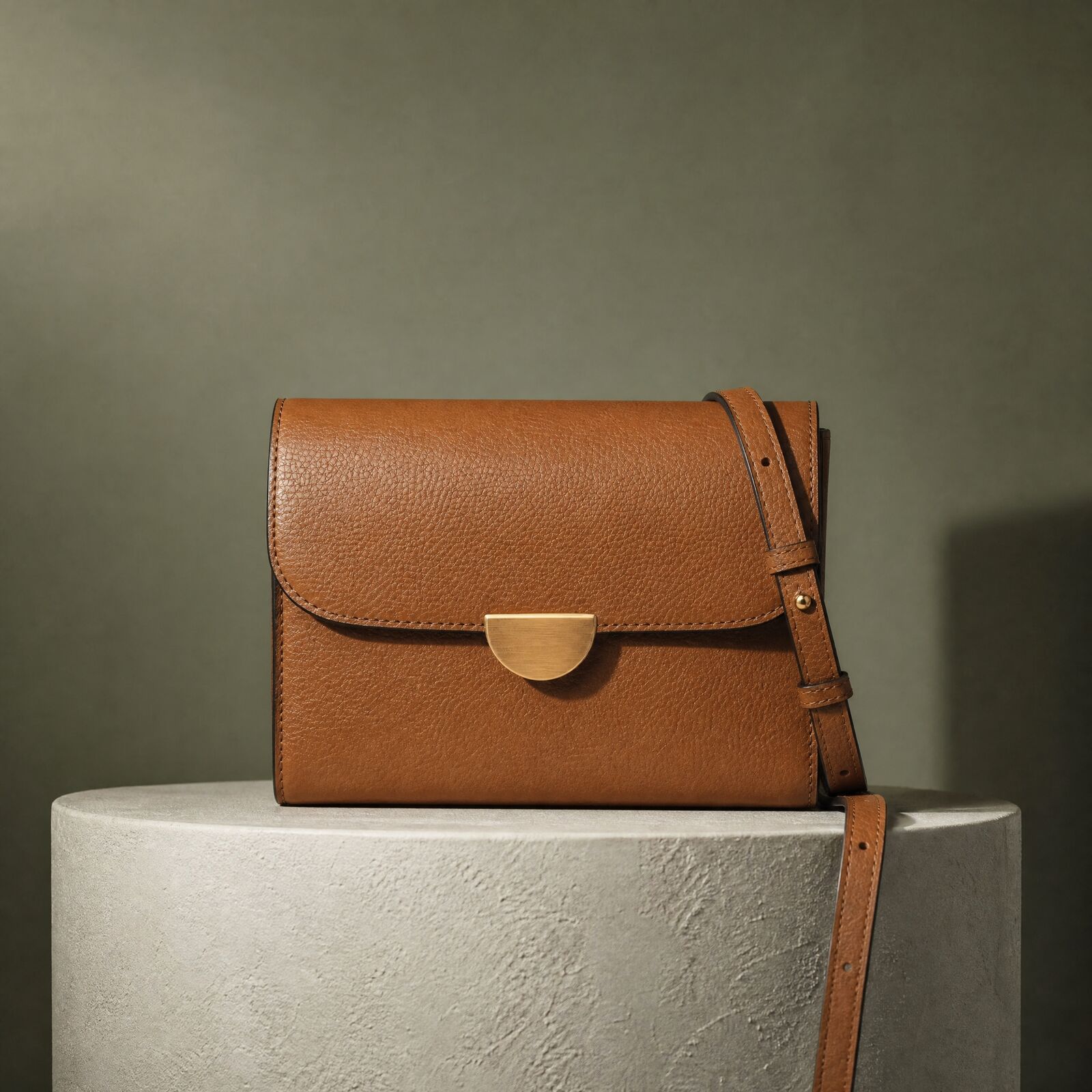
Write like a shot description. "Tan leather crossbody on a stone plinth, 100mm macro, soft window light from the left, dark sage wall." Flux rewards density: lens, light and surface in one paragraph.
Name the materials. Pebbled leather, brushed brass, raw linen. Photorealism depends on the model knowing what the light is falling on.
On Kontext Max, describe only the change. "Replace the wall with warm plaster. Keep the bag, the plinth and the shadow." It works from the image, not from a fresh prompt.
Since Flux.2 [pro] returns one image a run, change one variable between runs. You learn what moved the result.
05
Flux.2 questions
Is Flux.2 available in Misu?
Yes. Flux.2 [pro] is on Canvas and available to the Director. Flux Kontext Max is in the Generate picker, on Canvas, and behind edit routing on Auto. Image generation is included on every paid plan.
Flux.2 or Flux Kontext Max?
Flux.2 [pro] to make a new image. Flux Kontext Max to change one you already have without losing the subject or composition.
Is Product Lock built on Flux.2?
No. Product Lock trains a dedicated Flux-family model on your product photos, and runs on its own endpoint.
What does it cost in tokens?
At current rates about 18 tokens an image on Flux.2 [pro] and 23 on Flux Kontext Max. The Studio shows the exact cost before you run.
Can Flux.2 render text or logos?
It is not the model for legible type. Generate the picture on Flux.2 and set text with a model built for it, such as Seedream 5.0 Pro.
Can I use the images commercially?
Yes. Content generated on a paid plan is yours, under a full commercial licence.
Get started
Flux.2, directed.
Your product. Your face.
Misu picks the model per shot · Character Lock · Full commercial rights
You don't need a separate account for every model. Brief the shot in Misu, keep your product and your cast locked, and the Studio routes to the model that fits.
PRIVATE BETA · ONBOARDED PERSONALLY · FOUNDING PRICING LOCKED