Video model · Kuaishou
Kling 3.0 video generator
The product motion model. Physical realism for spins, detail shots and garments, in three tiers.
01
What Kling 3.0 is good at
Best for
- Product turntables and detail shots where the object has to behave like a real object.
- Fashion motion with physical weight: a sleeve, a strap, a hem.
- Directed transitions from a start frame to an end frame, on Pro and Omni.
- Repeatable movement copied from a reference clip, on Motion Control.
- Clips with native audio, from 3 to 15 seconds.
Reach for something else when
- Single takes past 15 seconds. Seedance 2.5 runs up to 30.
- Atmosphere and lensing-led campaign film, where Veo 3 is the stronger choice.
- Composing several characters or products from reference images. Vidu or Seedance 2.5 Reference is built for that.
In Misu
- All three tiers are selectable in the Video Studio: Kling 3.0 Omni is featured, Pro and Motion Control sit under All models.
- Motion Control is driven by a Motion Style preset, a reference clip whose movement is applied to your start frame.
- Character Lock chooses the identity frame closest to the shot's angle and framing as the start frame.
- Product Lock works on the still: lock the product in a frame, then let Kling move it.
- On Auto, picking a Motion Style preset routes the shot to Motion Control. Every tier caps a prompt at 2,500 characters, and the Studio flags a long one before you run.
02
Kling 3.0 specs in Misu
Read from the same tables the Studio's controls use — what you see here is what you can set.
Kling 3.0 Pro
| Clip length | 3–15s |
|---|---|
| Aspect ratios | 1:1 · 9:16 · 16:9 · 4:5 · 4:3 |
| Native audio | Yes |
| Start → end keyframes | Yes |
| Text-to-video (no start frame) | No |
Kling 3.0 Omni
| Clip length | 3–15s |
|---|---|
| Aspect ratios | 1:1 · 9:16 · 16:9 · 4:5 · 4:3 |
| Native audio | Yes |
| Start → end keyframes | Yes |
| Text-to-video (no start frame) | No |
Kling 3.0 Motion Control
| Clip length | Set by the model |
|---|---|
| Aspect ratios | 1:1 · 9:16 · 16:9 · 4:5 · 4:3 |
| Native audio | No |
| Start → end keyframes | No |
| Text-to-video (no start frame) | No |
03
Three tiers, three jobs
Kling 3.0 Pro
Image-to-video with native audio and optional end frame. The straight choice for a product spin or a detail shot.
Kling 3.0 Omni
The all-in-one tier: native audio, start and end keyframes, and strong multi-shot motion in one model. Good for short campaign film.
Kling 3.0 Motion Control
Takes the movement from a reference clip and applies it to your start frame. Use it when a walk or a turn has to match something you already have.
04
Prompting it for fashion and product
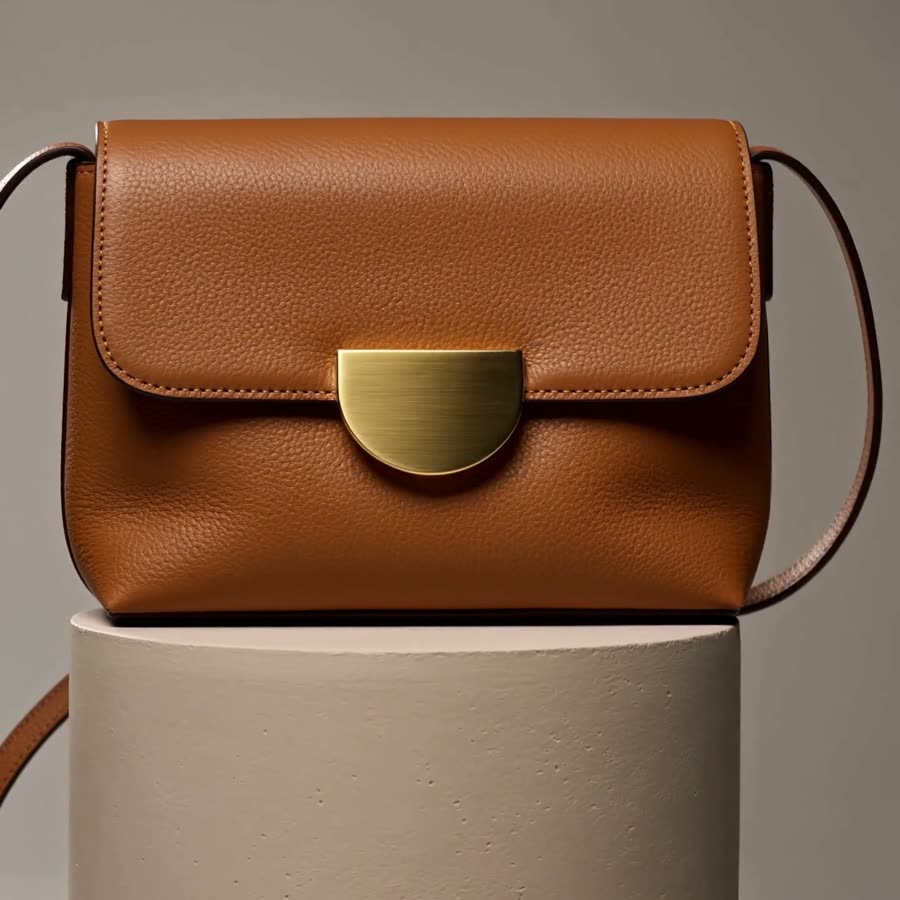
Put the subject first and name it plainly. "A tan leather crossbody bag with a gold half-moon clasp" anchors the object before any motion is described.
Give the action one verb. Rotates, lifts, swings, settles. Kling follows a single clear action more faithfully than a sequence.
Describe the camera separately from the subject. "Camera orbits slowly left at bag height" keeps the product steady while the view moves.
For a turntable, set the end frame to the back or side of the product. The model fills the rotation between the two, and you decide exactly where it stops.
05
Kling 3.0 questions
Is Kling 3.0 available in Misu?
Yes. Kling 3.0 Pro, Omni and Motion Control are all in the Video Studio and on Canvas. Video is included from the Studio Pro plan.
Which Kling 3.0 tier should I use?
Pro for product motion and detail shots. Omni when you want keyframe transitions and multi-shot motion. Motion Control when the movement has to come from an existing clip.
How long can a Kling 3.0 clip be?
Pro and Omni render any length from 3 to 15 seconds.
Does Kling 3.0 generate audio?
Pro and Omni generate native audio. You can switch it off per clip.
What does it cost in tokens?
Kling 3.0 is priced per second, the same rate across all three tiers. At current rates that is about 94 tokens a second, so a 5-second clip is around 467. The Studio shows the exact cost before you run.
Get started
Kling 3.0, directed.
Your product. Your face.
Misu picks the model per shot · Character Lock · Full commercial rights
You don't need a separate account for every model. Brief the shot in Misu, keep your product and your cast locked, and the Studio routes to the model that fits.
PRIVATE BETA · ONBOARDED PERSONALLY · FOUNDING PRICING LOCKED